> ## Content Index
> Fetch the complete content index at: https://developerinsider.co/llms.txt
> Use this file to discover other available public pages before exploring further.
# How to Access Document Directory Content in Files App?
- URL: https://developerinsider.co/how-to-access-document-directory-content-in-files-app/
- Published: 2020-05-31T04:52:45.000Z
- Updated: 2020-12-05T11:09:45.000Z
- Author: Vineet Choudhary
- Tags: Tips, Xcode, iOS, Files App
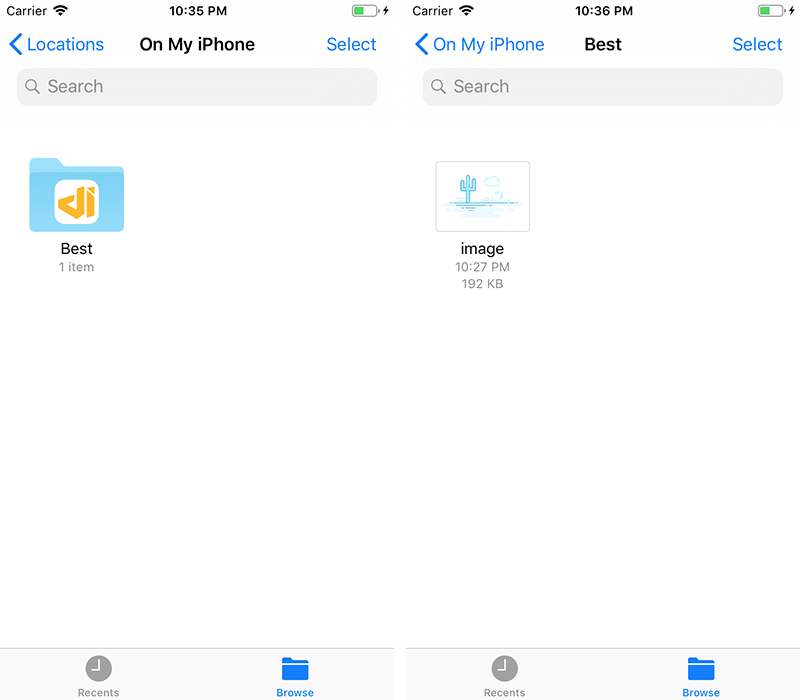
From iOS 11, If you set `LSSupportsOpeningDocumentsInPlace` to YES and `UIFileSharingEnabled` to `YES` in your `Info.plist`, you can access your application Documents directory in the Files application.
```xml
LSSupportsOpeningDocumentsInPlace
UIFileSharingEnabled
```
For debugging purpose, before iOS 11 you can use [FLEX](https://github.com/Flipboard/FLEX?ref=developerinsider.co). FLEX also contains a ton of useful debugging features like network request monitor, sqlite database browser etc.