
If you're using Home Assistant with LocalTuya, TuyaLocal, or another local Tuya integration, chances are you never had to manually find your device's local key. Most integrations can retrieve it automatically during the initial setup.
The problem comes later.
When you factory reset a tuya device and pair it again, the Local Key changes. Your existing Home Assistant integration can no longer communicate with the device until you update the Local Key.
Unfortunately, many integrations don't offer a simple way to refresh the key. Instead, to get the latest local key, you have to go through the Tuya IoT Developer Portal (Tuya Cloud), where you have to create a cloud project, link your account, and navigate multiple pages just to retrieve a new key.
I built Tuya Local Key to make it much easier.
No Tuya IoT Developer Account / Cloud Access Required
The project uses Tuya's official device-sharing SDK through Home Assistant's public app registration.
Getting started only takes a few seconds:
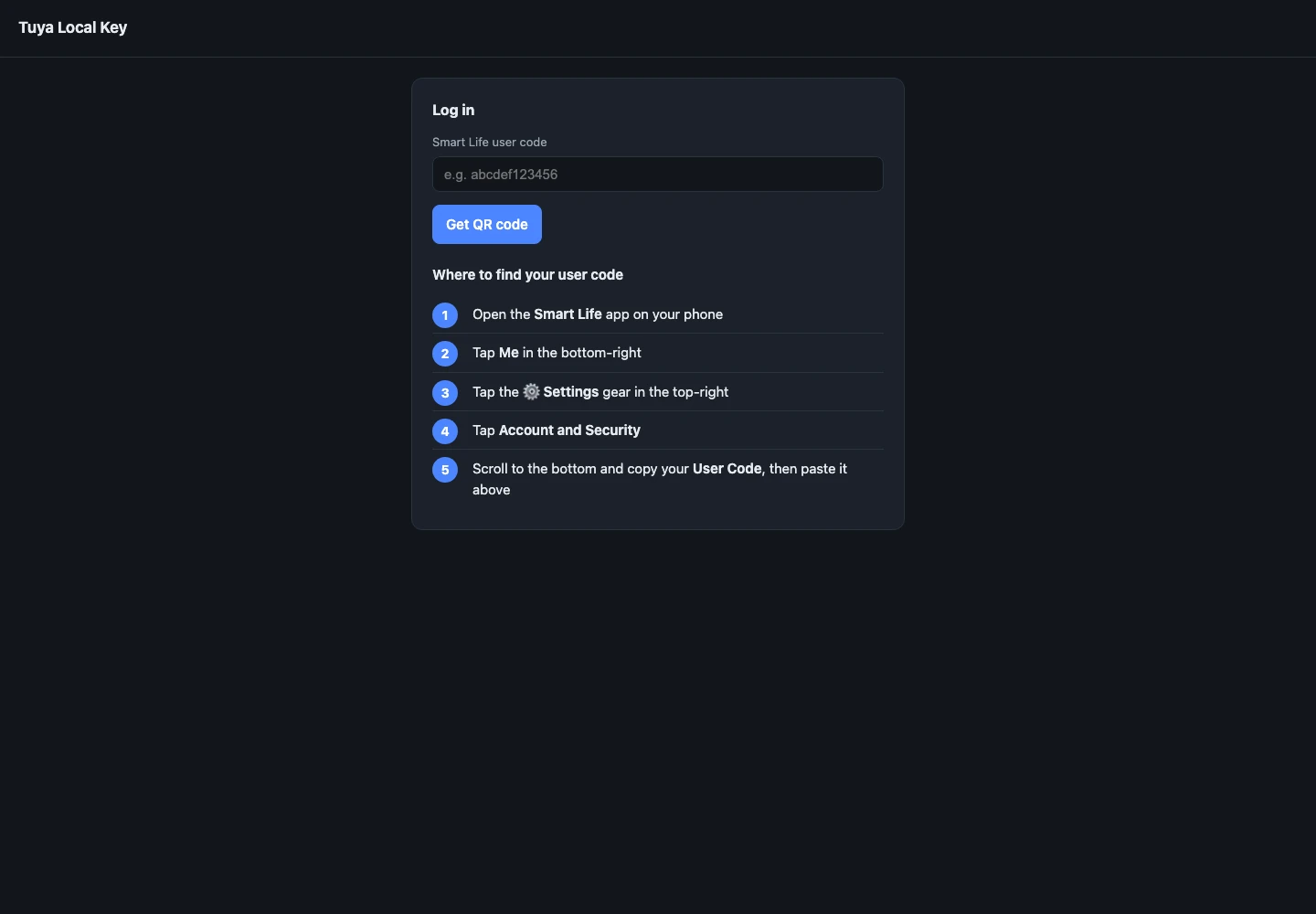
- Enter Smart Life or Tuya Smart User Code
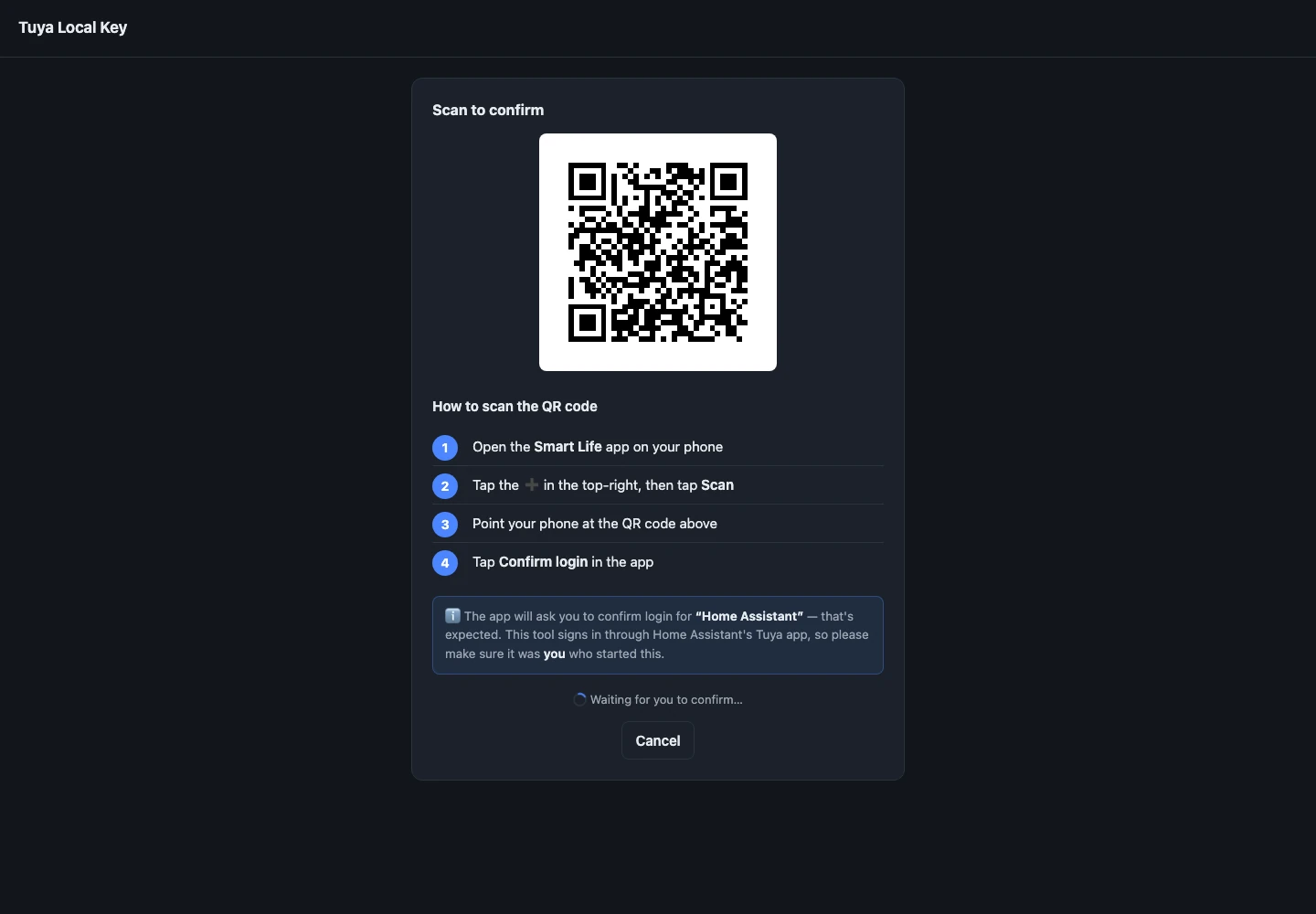
- Scan the generated QR code from the Smart Life or Tuya Smart app
- Tap Confirm Login
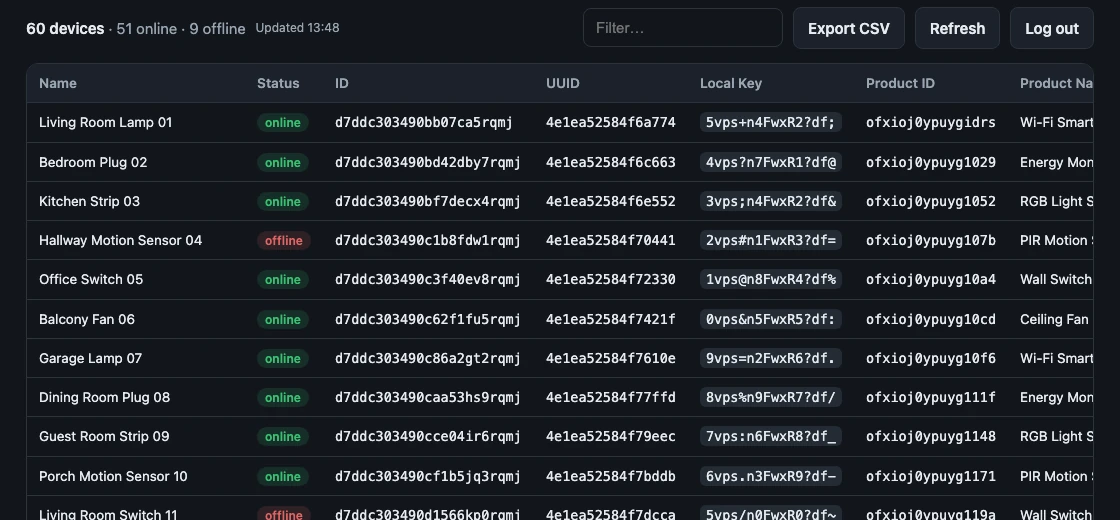
- Your devices are listed instantly
The login session is cached, so you won't need to repeat the login process every time.
Install It Your Way
Choose whichever fits your setup:
- 🏠 Home Assistant App (Add-on)
- 🐳 Docker container
- 💻 Command Line (CLI)
If you're already running Home Assistant, you can add the add-on repository with a single click.

GitHub: https://github.com/vineetchoudhary/tuya-local-key
If it saves you some time, consider giving it a ⭐ on GitHub. Feedback, bug reports, and pull requests are always welcome.
Screenshots
User Code
QR Login
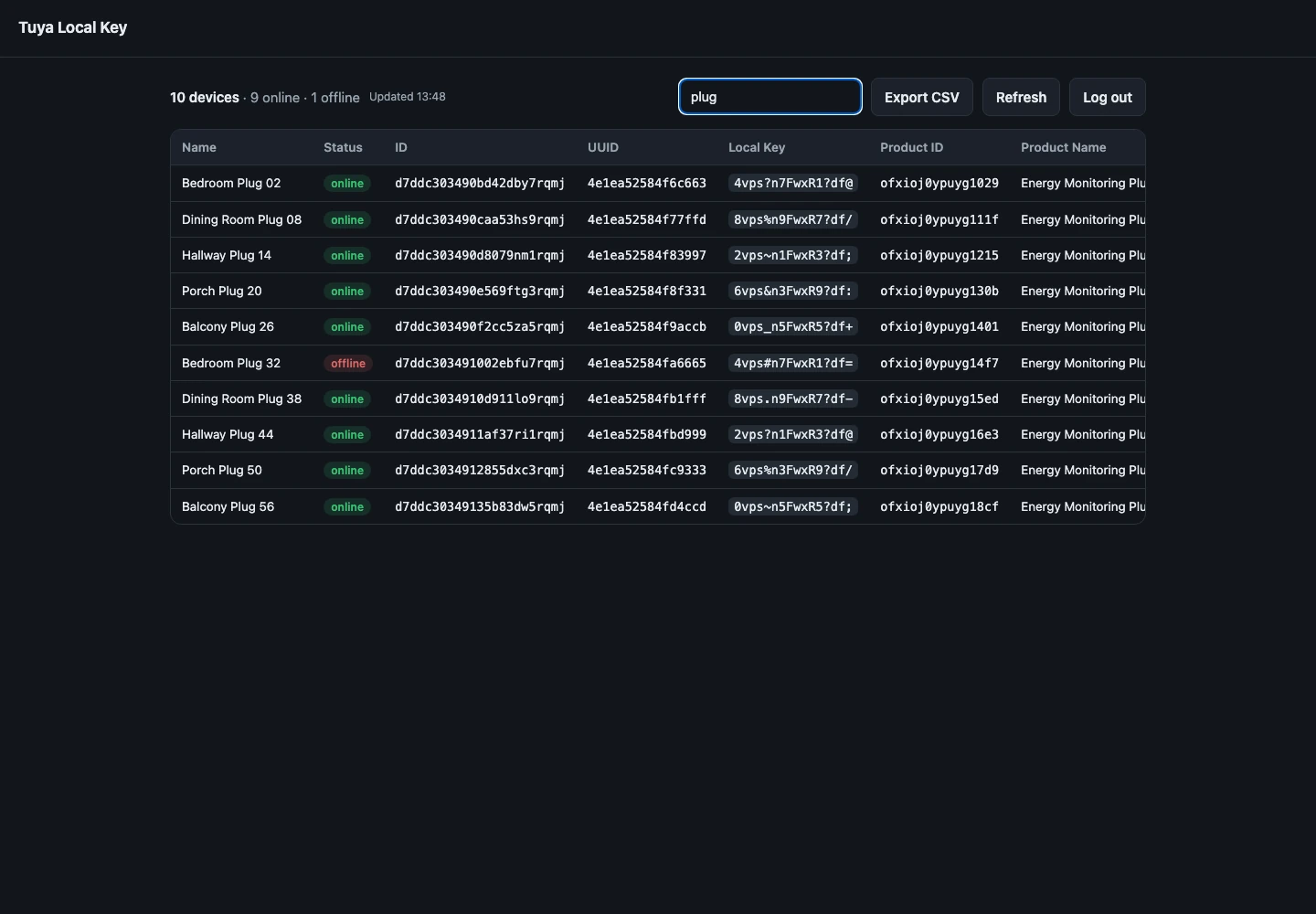
Device Table
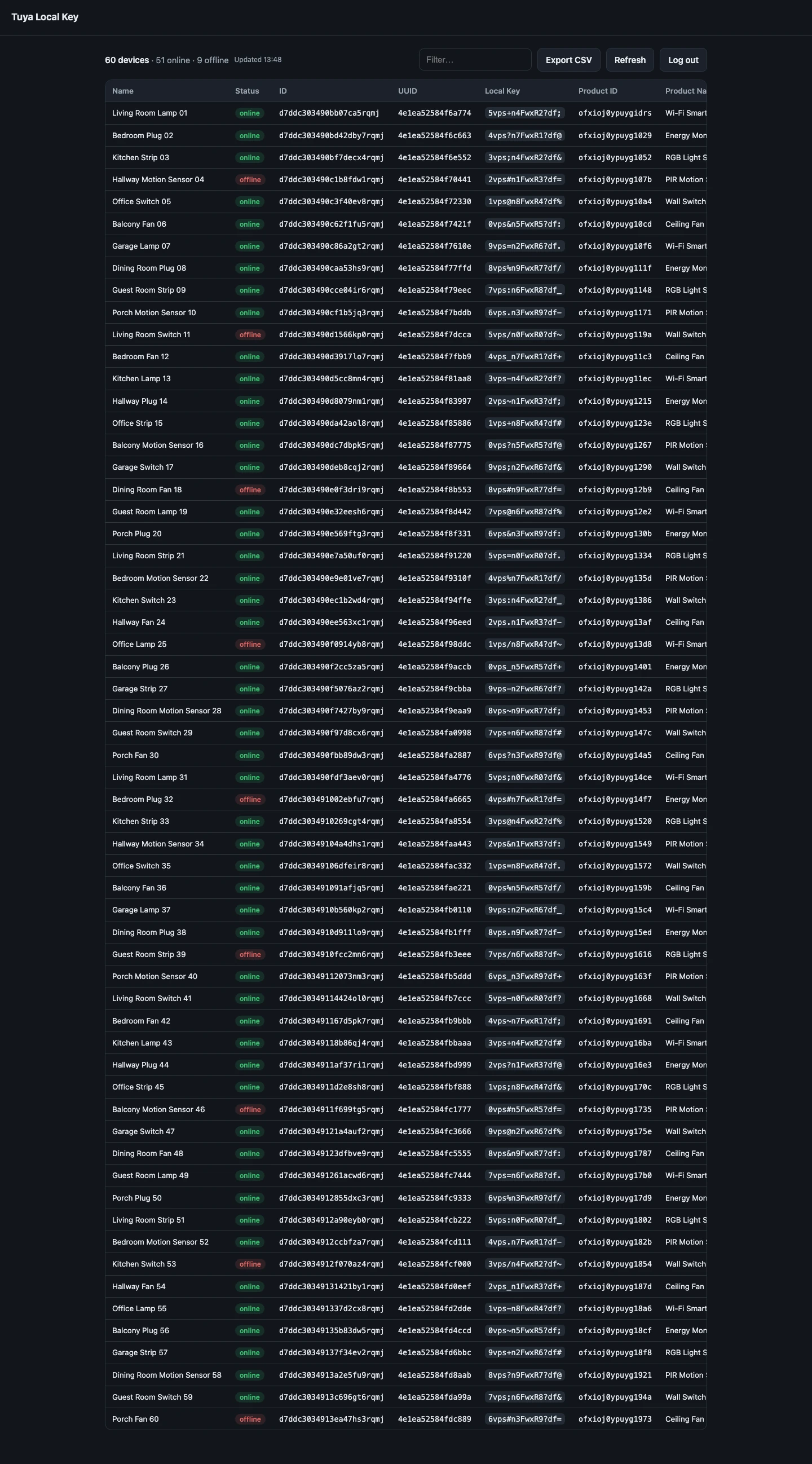
Filtering